Business Tips
The Landscaping Off-Season Plan: Seven Jobs to Finish Before the First Mow
· Updated
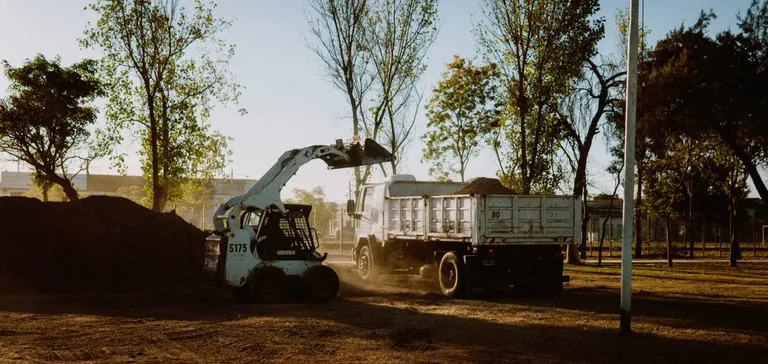
Winter is when next year’s profit gets decided. The trucks are parked, the phones are quiet, and every decision that was too rushed in July (what to charge, which accounts to keep, who you can afford to hire) can finally be made properly. Most companies spend the slow months waiting for spring. The ones that grow spend them finishing seven jobs.
This guide is the work behind the plan, not the plan itself. Our landscaping marketing calendar covers what to send each month. This one covers what to fix first, so those sends land on a business that is ready for the answers.
A note on timing. This is written for a northern lawn and landscape company whose slow season is winter. If you also plow, winter is your busiest stretch and your off-season is summer: do the same seven jobs in July and August, and put snow contract signup in the fall. Our snow contract pricing guide covers that side. In the south, slide everything toward your own slow months.
The seven jobs, in the order to do them
| # | Job | Best time | What it protects |
|---|---|---|---|
| 1 | Collect what you are owed | December | Cash for the slow months |
| 2 | Find out which accounts make money | December to January | Your prices and your routes |
| 3 | Reprice and renew | January to February | Margin for the whole season |
| 4 | Book spring before it starts | January to February | Early revenue and a full schedule |
| 5 | Rebuild the schedule | February | The first week of the season |
| 6 | Get the crew and equipment ready | February to March | No scramble in April |
| 7 | Clean the list and test the front door | March | Leads that do not die in an inbox |
1. Collect what you are owed
Last season’s unpaid invoices are the cheapest money you will ever chase, and they get harder to collect every month you wait. Pull a list of everyone with a balance and send the reminder in two steps: a friendly note first, and a firmer one about two weeks later. Our free friendly payment reminder and second payment reminder letters are written for exactly this. Only mention a late fee if it is already in your service agreement.
Then look for the opposite problem: work you finished and never billed. It is the quietest way a busy season loses money, because nothing on the schedule complains. In the software, the Unbilled Jobs report shows each job’s value against what has been invoiced and labels every job Unbilled, Partial or Fully Billed. If you invoice from a spreadsheet, go through last season’s visit list against your invoice list, line by line. Do it before you close the year, while you still remember what happened in October.
2. Find out which accounts make money
Two customers can pay the same price for the same work and earn you very different money, because the difference is the drive. Here is a made-up company with three weekly accounts:
| Account | Price per visit | On-site time | Drive time | Earned per hour |
|---|---|---|---|---|
| A: dense street, next to other stops | $55 | 30 min | 10 min | $82.50 |
| B: same work, across town | $55 | 30 min | 35 min | $50.77 |
| C: larger lot, mid-route | $120 | 75 min | 15 min | $80.00 |
A and B are the same job at the same price, and B earns about 38 percent less per hour. Nobody sees that on an invoice. You only see it when you divide what you billed by the time it took, drive included.
Do that for every account, and for every route. The accounts at the bottom are the ones to reprice, move to a better day, or let go. Our lawn mowing pricing guide works through the same idea with route density and shows what a scattered route costs you per billable hour.
In the software, the Season Summary for the season you just finished shows revenue by operation and margin by route, and exports to CSV so you can sort it in a spreadsheet. See built-in reports. If you use something else, you need three numbers per account: what you billed, hours on site, and drive time.
3. Reprice and renew
Once you know which accounts earn the least, you know where a price increase is most justified, and where it is not. Send the notice early. A clear letter in January goes over better than a surprise on the March invoice. Our price increase letter guide has the break-even math (how many customers you can lose before an increase stops paying) and three letters you can copy, and the price adjustment notice is the short version.
If you run multi-year contracts in the software, the Renewal Wizard copies a job or program into next year’s season and can apply an annual price uplift of 0 to 50 percent to each copied line item. The Renewals screen lists jobs whose season ends within a window you choose (30 days by default, up to 365). Contracts and renewals are on the Professional and Premier plans. See contracts and renewals and the renewals help article.
4. Book spring before it starts
January and February are when nobody is busy and everybody is thinking about the lawn they are tired of. Three offers work for most companies:
- A prepay or early-booking offer to last year’s active customers. We do not suggest a percentage, because it depends on your margins. Work out what you can afford to give before you promise it.
- Spring services that sell themselves once the snow melts: spring dethatching, irrigation spring start-up and a fertilization program. Each is a free letter you can copy.
- A nudge to lapsed customers. A saved segment of customers you have not serviced in a number of days you choose finds them. They already know you, which makes them the easiest new sale of the year.
Mail merge is on every plan and runs a personalized letter over up to 5,000 records in one pass. It sends when you start it, so put the send day on your own calendar and send that morning. The marketing calendar has the exact steps and the month-by-month sends.
5. Rebuild the schedule while it is quiet
You will never have a better time to fix your routes than a February afternoon. Last year’s routes show you which days were overstuffed and which stops cost you the most drive time (job 2 just told you).
If you use the Season Planner, it rolls a whole book of work from one season into the next in one pass: pick the source and target seasons, tick the service plans, and click Renew Selected. It creates each job in the new season and generates the first eight weeks of visits, never duplicating dates that already exist. The target season has to exist first. See the Season Planner article. Seasons and the planner are on Professional and Premier.
A route you solve once in winter becomes a template for the whole season. Our guide to scheduling landscaping crews walks through route days, recurring visits and checking whether a day actually fits, and scheduling and routing is on every plan.
6. Get the crew and equipment ready
Hiring in April means hiring whoever is left. Do it now, while you can interview properly and train before the first mow.
- Write the foreman role down before you advertise it. Our free landscape foreman job description gives you responsibilities, requirements and physical demands to adapt.
- Put your expectations in writing. The employee handbook template is a starting structure, not legal text, so have it reviewed before you hand it to a crew.
- Go through every mower, trimmer, blower and trailer with the lawn care equipment checklist. A mower that fails in the first week costs more than an hour of winter maintenance.
7. Clean the list and test the front door
Your customer list is the asset every other job runs on, and it is usually dirtier than you think. Merge duplicates, add the second contact and the second property where a customer has them, and fix addresses, because routes are only as good as the addresses behind them.
Then test the way new customers reach you. Fill in your own website’s quote form with a made-up request and watch where it lands. In our Website Builder, every quote form submission becomes a lead with the source Website and the status New, and emails the address you set. Do this before spring, not after your first missed lead. If you plan to ask for reviews this year, set that up now too. Review requests are a Professional feature, and the marketing calendar covers the setup.
What to skip for now
Most off-season advice online was written for any business and does not fit a contractor with a few trucks. Skip these until the seven jobs are done:
- Testing subject lines against each other. Most small customer lists are too short for the result to mean anything.
- Influencer partnerships, podcasts and webinars.
- Signing up for new social platforms.
- Flash sales. Discounting your regular customers teaches them to wait for the next one.
- Points-based loyalty programs.
What works instead is plain: a clear offer, sent to people who already know you, backed by a business that can say yes.
Where we fit
Software will not set your prices, collect your balances or call your customers, and none of the seven jobs above requires it. If you are doing this from spreadsheets and it works, keep going.
Where it helps is the tedious part. The Unbilled Jobs report and mail merge are on every plan. The Season Summary, Season Planner, Renewal Wizard and multi-year contracts are on Professional and Premier. Pricing is published on the pricing page, and the free trial needs no credit card.
Frequently asked questions
What should a landscaping company do in the off-season?
Finish the work that decides how profitable next year is: collect unpaid invoices and find unbilled work, work out which accounts earn the least per hour, reprice and renew, book spring early with a prepay or cleanup offer, rebuild routes and the schedule, line up crew and equipment, and clean your customer list. Marketing sends sit on top of that work, and our marketing calendar shows what to send each month.
When should I send spring offers to lawn care customers?
January and February for prepay and early-booking offers, while nobody is busy, and March for cleanups. Offers sent early give you time to build routes around the customers who have already said yes.
How do I keep cash coming in during the slow season?
Collect the balances from last season first, then pull some revenue forward with a prepay offer. Check that every finished job was invoiced, because unbilled work is money you have already earned. If you plow, winter work is the other source of cash.
Is the off-season different for snow removal companies?
Yes. For a company that plows, winter is the busy season and the slow months are summer. The same jobs apply, shifted: collect and reprice in summer, and sign snow contracts in the fall.