CRM & leads
The customers and leads a campaign is built from, and where replies land.
Mail merge & campaigns
The price increase letter. The spring announcement. The renewal reminder. The ones you rewrite badly every year at 10pm. Start from a letter written for this trade, personalize it per customer automatically, and send it to a list that keeps itself current. Included on every plan.
The problem
A 5% increase across a 300-customer book is real money, and it turns on one letter that nobody has time to write in February. Same with the spring announcement that fills the schedule, and the fall aeration note that has a three-week window. They do not get sent because writing them from nothing, at the end of a long day, is miserable.
Start from written
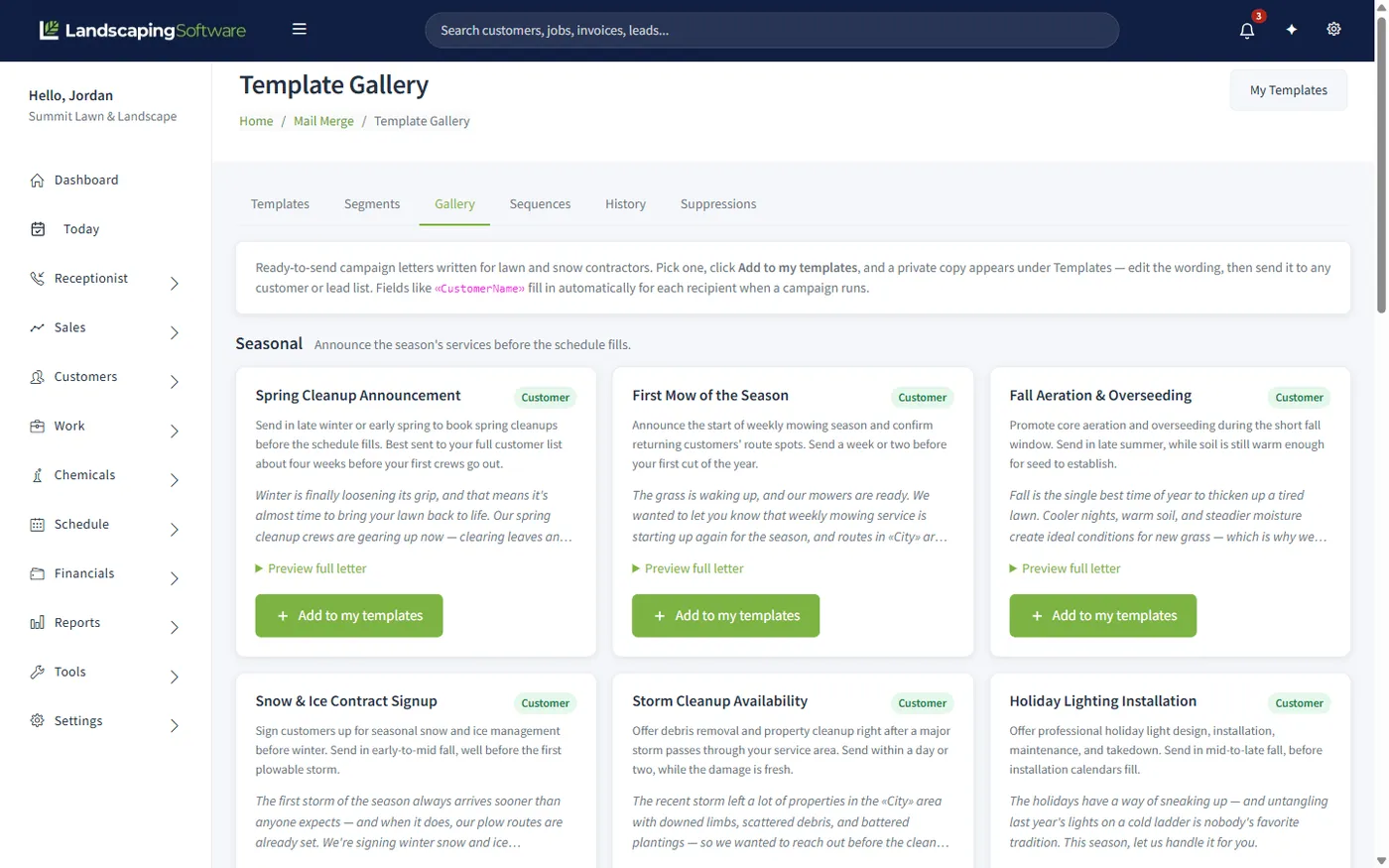
The gallery is stocked with campaign letters for lawn and snow work, each with a note saying when to send it and who to send it to. Preview the full letter, add it to your templates, and change the wording until it sounds like you rather than like a template.
Merge fields do the personalizing. Write «CustomerName» once and three hundred people get their own name.
Start from the gallery or write your own, with merge fields for the personal bits.
Choose a saved segment. It resolves at send time, so it is never a stale export.
Email it, print it, or share it straight to the customer portal.
Let a sequence chase the non-responders on a trigger, without you remembering.
Lists that stay right
An exported list is wrong the moment you export it. A saved segment is a filter, not a snapshot, so "commercial accounts in Concord" means whatever that is on the day you send, including the account you won last week and excluding the one you lost.
Suppressions are checked at send time for the same reason. Somebody who unsubscribed on Tuesday is not on Wednesday's run, even if the run was built on Monday.
Works together
The customers and leads a campaign is built from, and where replies land.
The renewal and price-increase letters that are hardest to write and easiest to template.
The other half of the funnel: forms that fill the list you are mailing.
See how the whole platform fits together, from first contact to renewal.
Need a first draft for a campaign email? Draft with AI writes one for you to personalize and send yourself. See AI assistant and drafting, included on every paid plan.
The full year, month by month, is in our landscaping marketing calendar.
Questions
No. A gallery of ready-to-send letters written for lawn and snow contractors ships with the product: spring cleanup announcements, first mow of the season, fall aeration and overseeding, and more. Click Add to my templates, edit the wording so it sounds like you, and send.
Fields like «CustomerName» and «City» fill in per recipient when the run happens. You write the letter once and every customer gets their own version, with their name, their town and their details in it.
A saved segment: a reusable filter over your customers or leads that resolves at send time. Build "commercial accounts in Concord" once and it stays correct as customers come and go, rather than going stale like an exported list.
Yes. Sequences are trigger-based: an estimate goes out and the follow-up sends itself a few days later if nothing has happened. Enable, disable and preview them without sending anything.
A suppression list. Anyone on it is excluded from every run, and it is checked at send time rather than at list-building time, so a recent unsubscribe is honoured even on a campaign you built last week.
History keeps every run: what went out, to which list, and when. Letters can also be shared straight to a customer’s portal instead of, or as well as, being printed.
Both. The same template can produce a printable letter for the accounts that still want paper and an email for the ones that do not.
Every plan. Mail merge and campaigns are included on Starter, Pro and Scale alike.
14-day free trial · No credit card required