Buying Guide
Landscape Billing Software: How Recurring Billing Works and What to Look For
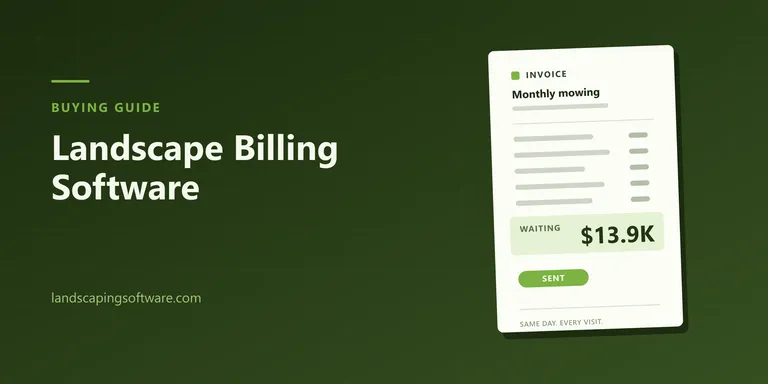
Two landscaping companies have the same 120 weekly mowing customers, the same $55 visit and the same crews. One of them has about $13,900 waiting to be paid at any moment in July. The other has about $36,100. Nobody raised a price or lost a customer. The only difference is when the invoices go out.
That gap is what landscape billing software is really for. Billing is the path from a completed visit to money in the bank, and most of the cash trouble in a maintenance business happens somewhere along that path: a visit that is never invoiced, an invoice that goes out nine days late, a flat monthly plan that has you carrying the customer through the winter. This guide explains how recurring billing works, puts numbers on the timing, and ends with a checklist for choosing and testing software.
We sell billing software as part of our product, and the last section says plainly what ours does and what it does not. Every figure below comes from a made-up company, with the assumptions shown, so you can swap in your own.
What landscape billing software actually does
Landscape billing software turns the work your crews complete into invoices, tracks what each customer owes, and records what they pay. It differs from a general invoicing app in one way: it knows your schedule, so a completed visit, a month of service or a finished project can create the bill by itself.
The path has five links:
- Work is completed. A crew marks the visit done. If this is not recorded, nothing downstream can happen.
- An invoice is created. From the visit, the month, the finished round or the finished job. This is where retyping from route sheets causes missed and doubled bills.
- The invoice is reviewed and sent. Someone checks the amount and releases it. Skipping the check sends mistakes to customers; skipping the send leaves finished work unpaid.
- The customer pays. By card, bank transfer, check or cash, in full or in part.
- The payment is recorded and matched. To the right invoice, so the next statement is correct.
Each link can break. The software’s job is to remove the manual steps between them and to show you where something is stuck.
It is not accounting software. It does not replace your books, your payroll or your tax filings. Treat it as the system that decides what you are owed and tells you whether you have been paid.
Five ways landscape companies bill, and the jobs each fits
How you bill is a property of the job, not the customer. One customer can have weekly mowing billed per visit, a fertilization program billed per round and a patio billed on completion. Your software should let you choose per job.
| Method | Invoice is created when | Priced from | Fits | Cash risk |
|---|---|---|---|---|
| Per visit | A visit is completed (or visits roll up monthly) | The job’s price lines | Weekly mowing, bed maintenance, one-off cleanups | Late invoicing; missed visits |
| Flat monthly | The start of each month | An accepted estimate | Season agreements, commercial grounds | You may be paid ahead or behind the work |
| Per round | A treatment round is completed | The accepted estimate, split by round | Fertilization and plant health programs | Rounds that run late push cash later |
| Whole job on completion | The job is finished | The job’s price lines | Installs, patios, large cleanups | Long gap between buying materials and being paid |
| Prepaid season | Before the season starts | A quoted season price | Customers who want one payment | Refund questions if service stops early |
Two rules of thumb. Pick the method that matches how you quoted the work, so the invoice never surprises the customer. And pick it once per job, so the same visit is never billed two ways. For what goes on the invoice itself, such as line items, terms and layout, see our guide to how to invoice landscaping customers. This guide starts where that one ends.
The cash flow math: billing method and timing
Here is the made-up company used for every example below:
- 120 weekly mowing accounts at $55 a visit.
- 30 visits a season, April to October, falling as 4, 5, 4, 5, 4, 4, 4 by month.
- That is $1,650 an account and $198,000 a season, or about $925 a day across 214 calendar days.
- Customers pay on the due date. Late payers widen every gap below.
Days from work to cash
The money waiting to be paid at any moment is roughly your daily billed revenue multiplied by the days from the work to the payment. At $925 a day:
| How you invoice | Days from work to cash | Money waiting |
|---|---|---|
| Per visit, invoiced the day of the visit, due in 15 days | 15 | about $13,900 |
| Monthly rollup sent on the 1st, due in 15 days | about 31 on average | about $28,700 |
| Monthly rollup that slips to the 9th | about 39 | about $36,100 |
| Flat monthly, billed on the 1st for the month ahead and due the 15th | about 0 | about $0 |
The slip from the 1st to the 9th ties up about $22,200 more. No price changed and no customer paid late. A routine that bills on the same day every month is worth real money, and a routine that depends on whoever has time is a loan you make to your customers without charging interest.
The last row looks best, but it is not free. It works because you are billing ahead of the work, and that is only true on some plans, as the next section shows.
Flat monthly plans: who is financing whom
A flat monthly amount turns a season of unpredictable mows into a predictable payment. The question is whether that payment runs ahead of the work or behind it. Take one account’s season price of $1,650 and spread it four ways. The figures show what the customer has paid minus the work completed at the end of each month. A positive number means the customer is ahead; negative means you are carrying them.
| Plan | End of April | End of July | End of October |
|---|---|---|---|
| 7 payments, April to October, $235.71 | ahead $15.71 | behind $47.14 | even |
| 8 payments, April to November, $206.25 | behind $13.75 | behind $165.00 | behind $206.25 |
| 12 payments, January to December, $137.50 | ahead $330.00 | behind $27.50 | behind $275.00 |
| 12 payments, April to March, $137.50 | behind $82.50 | behind $440.00 | behind $687.50 |
Across 120 accounts, at the end of October the first plan has nothing left to collect, the second has $24,750 left, the third has $33,000 left, and the April to March plan has $82,500 still to be billed over the winter. The January to December plan puts customers $39,600 ahead at the end of April, which is great, but it only works for customers who signed before January.
So the plan you choose decides who finances the season. A short plan that ends when the mowing ends keeps you even. A long plan that smooths cash for the customer asks you to carry them. If you offer long plans, price that carrying cost in, and tell customers how the monthly figure is built. Our seasonal billing explainer letter is written for exactly that conversation.
What each payment method costs per invoice
Card payments carry a fixed fee per transaction, and bank payments carry a percentage with a cap, so the number of invoices you send changes what you pay. These are Stripe’s standard published rates as of November 2026: 2.9% + $0.30 for a domestic card and 0.8% capped at $5 for a US bank debit. Check Stripe’s pricing page (opens in a new tab) for your own rates.
- A $206.25 monthly invoice costs $6.28 by card and $1.65 by bank.
- Billing all 30 visits one by one and having customers pay by card costs $56.85 per account. Eight monthly invoices cost $50.25. That is $792 across 120 accounts, from invoice frequency alone.
- By bank, the percentage is the same either way, so both cost $13.20 per account.
- An $18,000 patio costs $522.30 by card and $5.00 by bank.
The pattern: on small, frequent invoices the fixed card fee adds up; on large invoices the bank cap matters most. Some states restrict passing card fees on to customers, so ask your accountant before you add a surcharge.
Unbilled work: where landscape billing leaks
Late invoices cost you time. Missing invoices cost you the money. The common leaks:
- Extras that never reach the job. The crew pulled a stump or added an edge, and nobody wrote it down.
- Unpriced jobs. A job with no price lines has nothing to bill, and nothing complains.
- Jobs never scheduled. No appointment means no visit, so it never reaches billing and never shows as overdue.
- A missed week in a rollup. The monthly invoice is built from memory and one Tuesday is left out.
- Double billing. A hand-typed invoice for a visit that was also invoiced automatically.
To size the problem, imagine 1%, 2% or 3% of your 3,600 visits go unbilled. At $55 a visit that is $1,980, $3,960 or $5,940 a season. These are not industry figures; they only show that a small leak in a large number of small invoices is worth finding.
The fix is a routine, not a hero:
- Every week in season: list completed visits that have no invoice, and bill them or mark why not.
- Every month: list jobs where the invoiced total is below the job value, and ask why for each one.
- At season start and end: list jobs that were never scheduled, and either schedule them or remove them.
Hardscape and project billing: deposits and progress bills
Projects turn the timing problem upside down. Take an $18,000 patio with $6,500 of materials bought in week one and a three-week build. Materials leave your bank account in week one, the crew is paid weekly, and the customer is invoiced at the end. From buying the pavers to getting paid is about five weeks, and you carry the whole cost.
A 30% deposit of $5,400 covers most of the materials and moves the risk back toward the customer. Software for this kind of work needs to do three things: hold the deposit as a credit on the customer’s account, apply it to the right invoice later, and make the final bill aware of the bills that came before it, so the customer never pays the same dollars twice. Our hardscape page shows how this fits the rest of the job.
For what the customer sees on a deposit invoice and how to word payment terms, our invoice guide covers it.
A billing routine for a 20-person lawn and hardscape company
Software removes steps. It does not remove the need to own them. Here is a routine for a company with a couple of crew leads and one person in the office:
| When | What | Who |
|---|---|---|
| Daily | Crews mark visits completed before they leave the property | Crew lead |
| Daily | Review and send the draft invoices from yesterday’s visits | Office manager |
| Weekly | List completed visits with no invoice and clear the list | Office manager |
| Weekly | Check open invoices past due and send reminders | Office manager |
| The 1st of the month | Create and review the monthly invoices; send the same day | Office manager |
| Monthly | Review jobs where invoiced is below job value | Owner |
| Season start | List jobs that were never scheduled; confirm every active job has a billing method | Owner |
| Season end | Close out finished jobs, check deposits left unapplied, review unpaid balances | Owner and office manager |
For the reminder step, use a friendly payment reminder so every customer hears the same message on the same schedule.
What to look for in landscape billing software: a 10-point checklist
If you are comparing systems, ask each vendor to show these ten things with your own examples, not their demo data. Our broader guide to what to look for in landscaping business software covers the rest of the stack; this list is just for billing.
- A billing method set per job. Ask to see one customer with a per visit job and a flat monthly job side by side.
- Invoices created from completed work. Mark a visit completed and watch an invoice appear, with no retyping.
- A review step before anything goes out. Ask what happens between “created” and “sent”, and whether a mistake can reach a customer without a human seeing it.
- Batch runs that are safe to rerun. Ask to run the monthly batch twice and show that nothing is billed twice.
- An unbilled report at job and visit level. Ask to see completed visits with no invoice, and the reason each one is missing.
- Deposits held as credit. Take a deposit, then apply it to a later invoice and undo it.
- Partial payments, and one check across several invoices. Record a single check against two invoices.
- Card and bank payments online, with a choice of who pays the fee. Ask what the fees are and whether you control the surcharge.
- Field invoicing that follows the same rules. If someone can bill a job from a phone, ask whether it warns when that job already bills automatically.
- A clean export and a change history. Ask to export every invoice, and to see who changed an invoice and when.
How to test billing software in a one-week trial
A trial that only clicks through a demo company tells you very little. Use one real week:
- Set up five real accounts by hand, with real prices. Include one weekly mowing job, one flat monthly account, one program job and one project with a deposit.
- Complete a visit and confirm a draft invoice appears. Check the amount against your price.
- Bill the flat monthly account and run the monthly batch a second time to check that it does not bill again.
- Take a deposit on an estimate and apply it to the final invoice.
- Record one check against two invoices, then open the unbilled list and see whether it matches what you know.
If you have only a handful of accounts, you may not need software yet. A good spreadsheet plus our free landscaping invoice template will carry you a long way, and the math above works the same either way.
Where we fit
You are reading this on a software vendor’s blog, so here is how ours maps to the checklist. Invoicing and payments comes with the plans: Essential at $99 a month for up to 2 crews, Professional at $229 for up to 10 crews with programs and multi-year contracts, and Premier at $399 with unlimited crews. There is a 14 day trial with no card.
- Per job. Each job has its own billing mode: per visit, monthly fixed, on job completion, or seasonal prepay and manual. Programs bill by round, one invoice per customer per completed round, and the rounds add up exactly to the estimate.
- From completed work. Per visit jobs create a draft invoice when a visit is marked completed. A daily sweep catches visits that slipped through, such as bulk completions or crew phones that were offline.
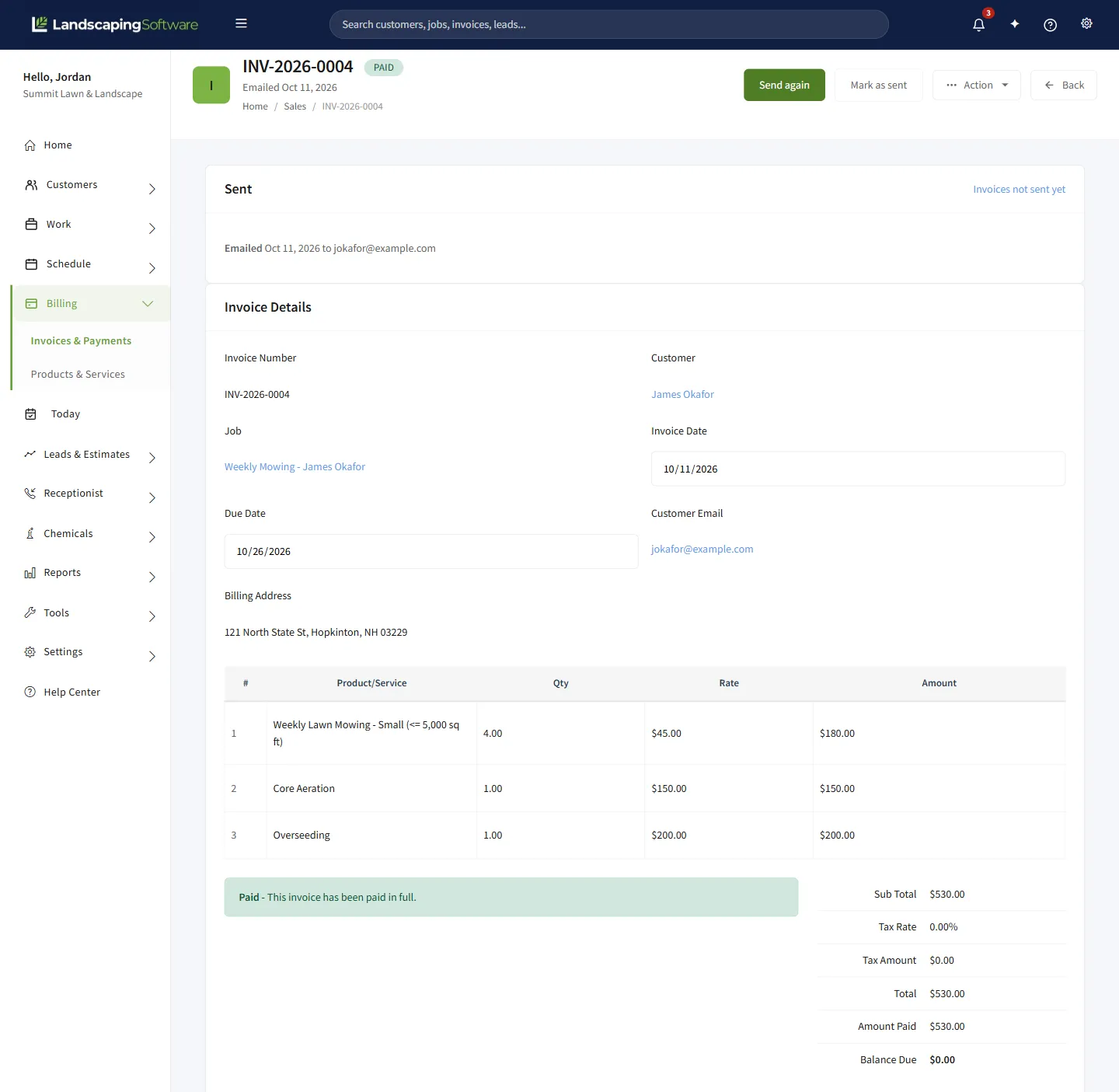
- Review first. Automatic and batch invoices are drafts. Nothing is emailed to a customer until you send it, and the Not sent chip is your outbox.
- Safe reruns. The monthly and visit batches skip work already invoiced, and monthly fixed never bills the same month twice.
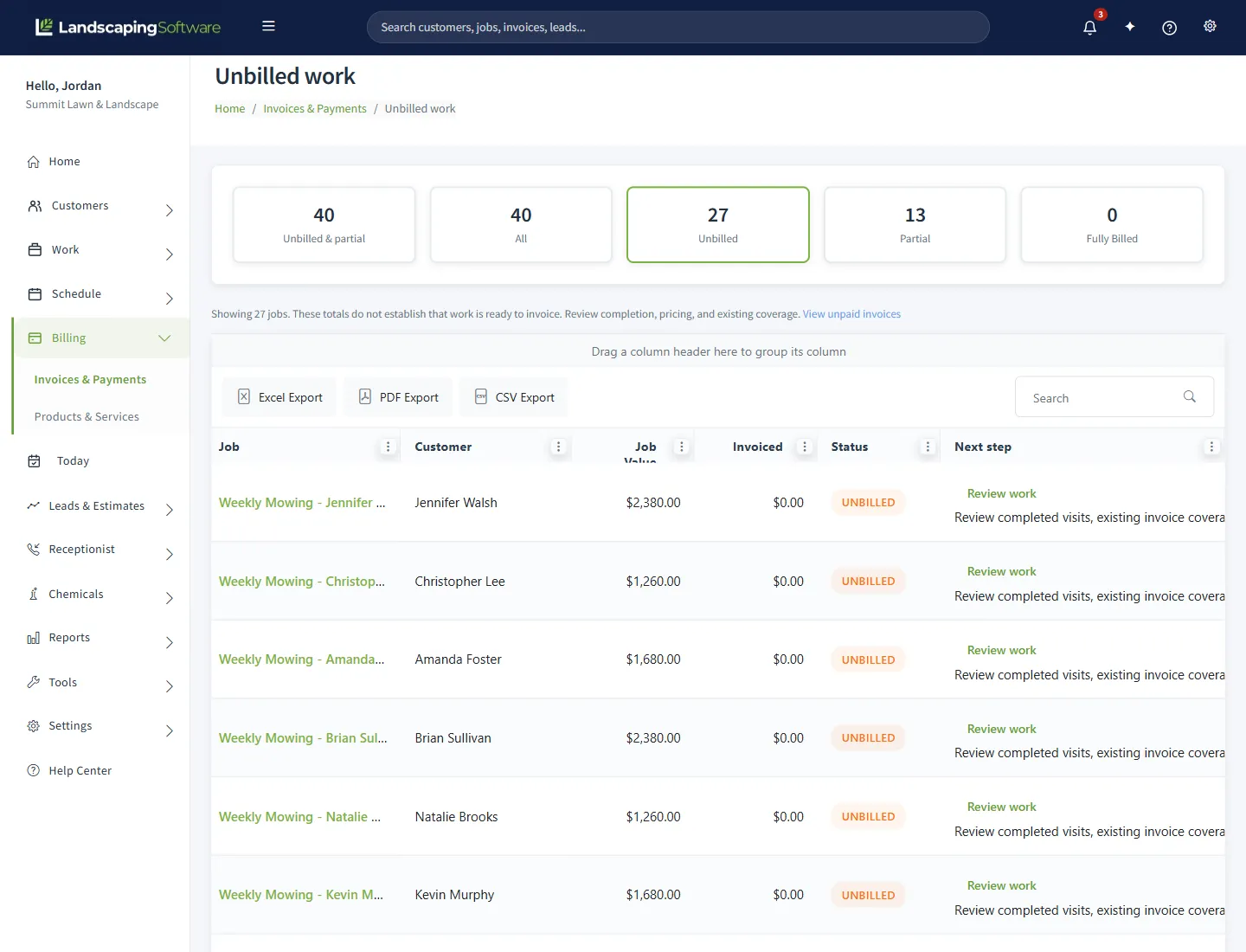
- Unbilled work. A tile view of Unbilled, Partial and Fully Billed jobs, a visit-level report that says why each visit will not bill itself, a Mark as billed action, and a Never scheduled filter on the jobs list. The help article describes the weekly, monthly and season-end routine.
- Deposits. A deposit paid on an estimate sits on the account as credit until you apply it from the invoice. A hand-made deposit or progress invoice is subtracted on the job completion invoice, shown as a Less line.
- Payments. Customers can pay from the customer portal by card or US bank transfer, in full or in part. You connect your own Stripe account and we add no platform fee on top of Stripe’s. You can pass the processing fee to the customer, with a warning about local rules. You can record checks across several invoices.
- Field. An owner or supervisor with mobile admin access can invoice a job from the crew app, and it warns if that job already bills automatically.
- Export and history. Export invoices to Excel, PDF or CSV, and every invoice keeps an audit trail.
What it does not do:
- Nothing reaches a customer by itself. You review and send every invoice. If you want sending to happen without a person, this is not that.
- An invoice locks once money is applied. You edit before payment, not after.
- Accepting an estimate in the office skips the deposit. The deposit is collected when the customer accepts online.
- It is not accounting software, and it has no accounting sync. Export and give the numbers to your bookkeeper.
Frequently asked questions
What is landscape billing software?
Software that turns the work your crews complete into invoices, tracks what each customer owes and records what they pay. The useful kind starts from the schedule, so a completed visit, a month of service, a finished treatment round or a completed project creates the bill, instead of someone retyping it from a route sheet at night.
Should landscape maintenance be billed per visit or by a flat monthly amount?
Per visit is the most transparent and suits weekly mowing, where the number of visits moves with the weather. A flat monthly amount smooths cash flow and suits agreements written around a season of care rather than a count of mows. Many companies use both, chosen job by job. Whichever you pick, send invoices on a fixed day, because every day of delay is added to every payment.
How much cash is tied up when invoices go out late?
Roughly your daily billed revenue multiplied by the days between the work and the payment. In our made up example, a company billing about $925 a day in season has about $13,900 waiting when it invoices the day of the visit on 15 day terms, and about $36,100 waiting when a monthly invoice slips to the 9th of the next month.
How do you find landscaping work that was never invoiced?
Compare what was completed with what was billed, every week in season. Good billing software lists completed visits that have no invoice and jobs whose invoiced total is below their value. At the start and end of each season, also look for jobs that were never put on the schedule, because they never reach billing at all.
What should you test during a billing software trial?
Run one real week through it. Price a weekly mowing job, mark a visit completed and confirm a draft invoice appears for review. Bill a flat monthly account. Take a deposit on an estimate and apply it to the final invoice. Record one check against two invoices. Then open the unbilled work list and see whether it matches what you know.